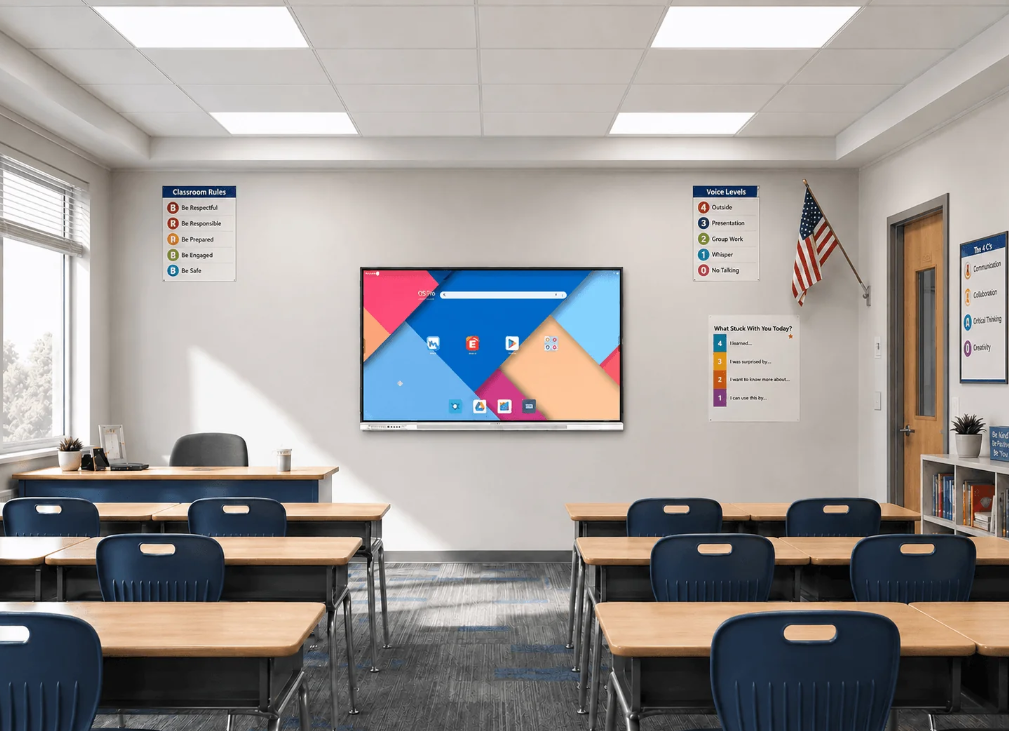
Digital teaching and hybrid work have changed how classrooms and meeting rooms are used. Teachers need to present materials, annotate content, and involve students without moving between several devices. Small and medium-sized businesses face a similar challenge. They want meeting spaces that start quickly and are easier to maintain. All-in-one smart boards bring these common tasks onto one shared screen.
Nework focuses on smart audiovisual display and collaboration solutions for education and business users. With more than 20 years of audiovisual industry experience, they develop interactive products for teaching and meetings. Their K–12 Solution includes the E-Series, designed to make lessons more interactive and support active learning. K12 schools and smaller businesses can contact their team to discuss classroom or meeting needs and deployment plans.
Why One Screen Can Simplify Daily Work
Traditional classrooms may use a projector, whiteboard, computer, cables, speakers, and separate controls. Meeting rooms can have a similar mix. Each extra device creates another connection point and another item that staff may need to set up or maintain.
An all-in-one board brings display, touch interaction, annotation, and content sharing into one working area. Teachers can explain a topic, write notes, and open digital materials on the same screen. Employees can present files, mark changes, and discuss ideas without moving between systems.
For schools comparing a Nework smart board for classrooms, this integration can reduce device switching during lessons. It can also reduce reliance on extra cables and adapters, which helps staff manage equipment across several rooms.
Interactive Teaching Goes Beyond Digital Writing
A smart board is useful when it fits existing teaching habits. The K–12 approach described for the E-Series is built around student-centered lessons. The board can become the place where teachers present, explain, annotate, and organize learning materials instead of acting only as a digital whiteboard.
Teachers often work with Google Classroom, Microsoft PowerPoint, Google Slides, and PDF documents. Bringing these materials into one interactive whiteboard makes it easier to move between prepared content and live explanation. Teachers can annotate naturally as they teach instead of returning to a separate computer.
Multimedia can add variety to instruction. A science diagram can be marked on screen, a sentence can be highlighted during language study, and a math problem can be worked through step by step. Educational apps add more options when they match the lesson goal.
Wireless Sharing Makes Participation Easier
Modern classrooms may include Chromebooks, iPads, laptops, and Android devices. Wireless sharing allows content to move from these devices to the main display without repeated cable changes. Teachers can present from different devices, while students can share project work during classroom activities.
This is useful during presentations and discussions. A teacher can move from one example to another with fewer connection steps. The lesson remains focused on the content instead of equipment setup.
The same principle works in meeting rooms. Employees may arrive with different laptops and files. A shared interactive screen gives the group one place to review reports, discuss plans, and annotate information.
Deployment and Maintenance Affect the Real Cost
Purchase price is only one part of the equipment decision. Schools and smaller businesses also need to consider installation, training, maintenance, cables, accessories, and technical assistance. A room built around separate components may create more setup tasks over time.
An all-in-one design can simplify the equipment layout because several collaboration functions are brought together. For K12 schools with multiple classrooms, a consistent setup can make teacher training and routine device management easier. For smaller companies, it may reduce the number of meeting-room devices employees need to learn.
When evaluating a Nework smart board for classrooms, procurement teams should check how the board fits existing lesson files, student devices, wireless sharing needs, and maintenance resources. A long feature list is less useful if the equipment does not match daily teaching routines.
What Buyers Should Review Before Choosing
School procurement teams should look at lesson formats, teacher habits, student devices, deployment workload, and maintenance plans. Business buyers should review meeting frequency, presentation methods, connection needs, staff training, and technical help. These questions help buyers compare products around actual use rather than specifications alone.
After-sales service also deserves attention. Buyers may need help during deployment, daily operation, or later maintenance. Clear service channels can be important for schools with many classrooms and smaller businesses without large internal IT teams.
Nework provides smart display and collaboration solutions for education and business scenarios, and they can discuss deployment and service requirements with school procurement teams, business owners, and corporate buyers. A conversation before purchase can help buyers compare product functions with real classroom or meeting workflows rather than choosing equipment only by a feature checklist.
A Practical Change for Shared Spaces
The growing interest in all-in-one smart boards reflects a practical change in how shared spaces work. Classrooms need faster access to digital materials and interactive teaching tools. Meeting rooms need easier presentation, annotation, and device sharing. Combining these functions can reduce interruptions caused by switching between separate systems.
For buyers, the key question is not whether a board has more functions. It is whether those functions simplify teaching or meetings, reduce deployment complexity, and make maintenance easier. When schools and businesses evaluate the full workflow, an all-in-one smart board can be judged as part of a longer-term plan for efficient shared spaces.